Amplex Support
https://support.amplex.net/knowledge-base/setting-up-sfn-on-fire-stick/
Export date: Thu Jun 4 1:35:55 2026 / +0000 GMT

Setting Up SFN On Fire Stick


Setup Steps
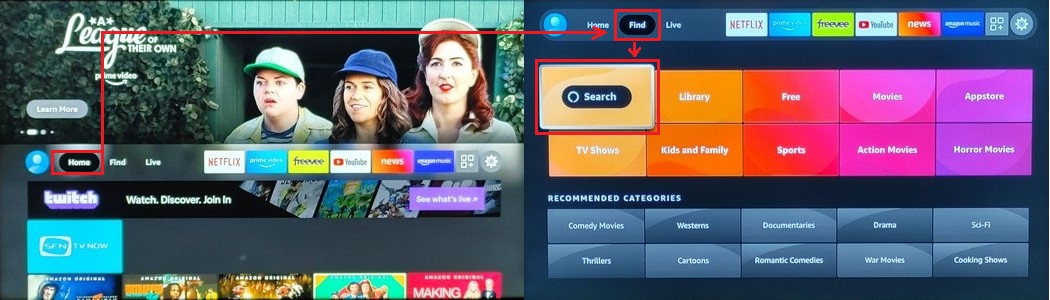
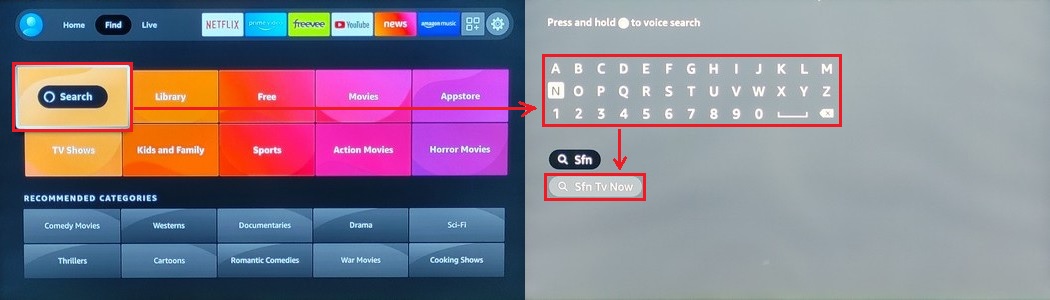
  • Press "Right Arrow" to select "Find"

  • Press "Down Arrow" to select "Search"

  • Press "OK"


  • Input "sfn"

  • Select "SfnTvNow"


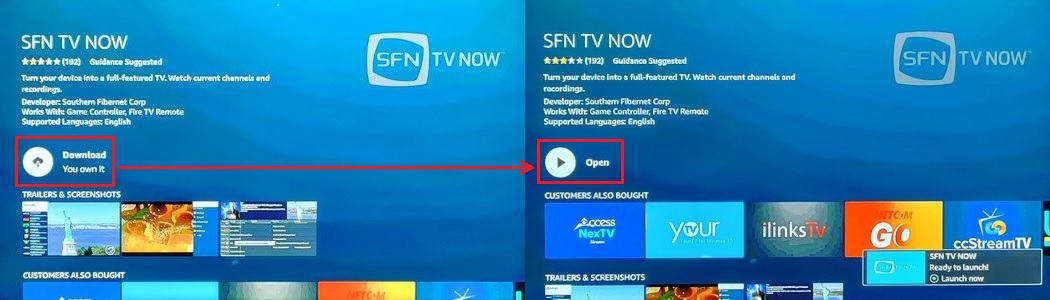
  • Press "OK" to download the app

  • Press "OK" again to open the app


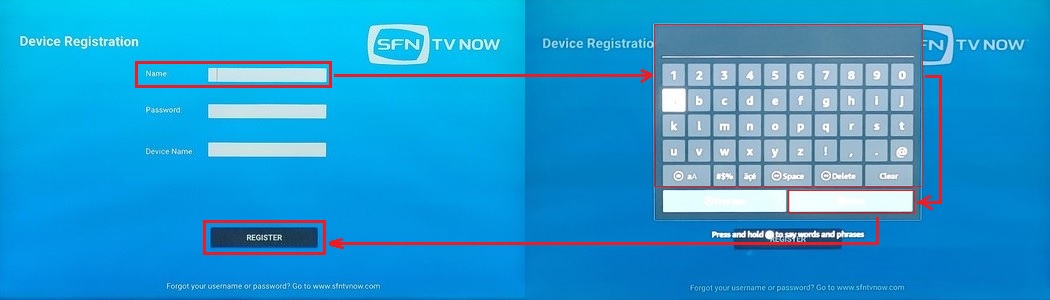
  • Input user name then press "Next"

  • Input password then press "Next" again

  • Create a device name then press "Next" again

  • Press "Register" and your done!


Post date: 2022-09-02 14:05:53
Post date GMT: 2022-09-02 19:05:53

Post modified date: 2022-09-02 14:11:14
Post modified date GMT: 2022-09-02 19:11:14